Friday, September 20, 2013

Free-writing: QR code and Social Media


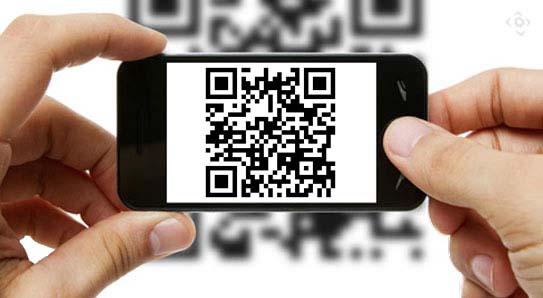
QR code (Quick Response) code, is a type of matrix barcode that can be read by smart phones or mobile devices (with QR Code reader installed). 

Source: Voir QR: the history, use & abuse of QR code


Once you have downloaded and installed a barcode reader on your smartphone, the phone’s camera arts like a scanner, scanning the barcode. These codes are really amazing and powerful, they can direct your phone’s browser directly to a URL, make phone call, simply display text or image ~ all depending on what information has been stored within the QR code. It’s cool and simple. All you need to do is download and install QR reader onto your smartphone. You may find many great, free QR code readers online. Once your reader has been installed, just point, click, and connect.


QR code and Library services


In Hong Kong, we can commonly find QR code in newspaper, magazines, household products, MTR and giant advertisement board. Most of the academic libraries in Hong Kong also apply QR code to enhance their service. For example, Lingnan University Library, The Hong Kong University of Science and Technology Library, Che-woo Lui Hotel and Tourism Resource Centre, Hong Kong polytechnic University etc. demonstrated QR code can be applied to different areas in the library to enhance the library service.

Source: Lingnan University Library


The world’s largest QR code


It’s more than interesting to find the world’s largest QR code on internet. Southern Resources and Hackerspace Charlotte put technology on the map. This giant code became visible on Google maps. However, if you wish to scan this giant code you should have wings to fly in the sky to scan the giant code.


QR code and social media


Another giant QR code crops up!” attached an interesting video which is showing the “create an interactive video to recast QR codes as Socialprints”.  Socialprint, the social media service gives users a new way to use QR code which allow users to have one step to share their personal contacts to friends by using their smartphones. Those who scan a user’s QR code will get to view his/her“Skanzsite”on their phones and will then be allowed to call, text, or email the user, or to access his/her Facebook page, Twitter feed, and even to see his/her photos, favorite videos, and other personal information. It sounds great, users may not need to present their name card but just scan a your social QR code.

 
Source: QR Code Press


I think the user of social QR code extremely convenience for business marketing rather than sharing of personal  information (email, Facebook page, Blog, Twitter, LinkedIn, photo, and personal profie) to friends. Library may consider to generate a Library Social QR Code to connect users to their social networking tools (if they are managing more than one social networking tools). Personally, I won’t prefer to generate such QR code for myself. It seems that I need to take risk to trade off the benefits of using such convenience technology ~ Social QR code for some of my privacy.


Sunday, September 15, 2013

OLJ: Exploring Delicious


Delicious first launched in September 2003 and known as "del.icio.us", 
to celebrate their 10 year anniversary ~there is a brand new design (Preview).

Web surfing is now more complex, and how to organize the collections of sites is a challenge. Before using Delicious, I simply bookmarked the collected websites on my PC and organized them under different folder to create my own collection but not easy to share with others.

After our organization subscribed RefWork, I store the online materials in this reference management software, and organize materials under respective folder and I can share folder with colleagues or users who have RefWork account. Of course, we cannot share RefWork folder to whom does not subscribe RefWork. However, RefWork is not easy to use while compare with Delicious which is much more user friendly.  For daily activities, I still inertia of bookmark the network resources on my PC.


Delicious is a free internet social bookmarking tools, a software for identifying, organizing, storing, finding, classifying, and sharing web resources not only among browsers and work place, but also among people. It is very convenience of keeping track of content that we could come back to and read at a later date online.

I recall my memory for two years ago. When our office was being upgraded the PCs, we were requested to back up our data file from the PC. But I forgot to back up the bookmarked content for my new PC, so I lost some interesting / useful website . If I use Delicious that time, I might not encounter such misfortune.

After registering and setting up the Delicious, I saved a few websites that related to this module, as well as some of my interest. However, what next? How to manage the stored website? By following “Help-Delicious”, I learn how to edit link, delete link, add tags… I’m following “SISsocialmedia” so that I can easily check out information about field of interest to us too. We can also subscribe to the RSS of users’ collection to get latest contents from the field of same interest to us.

Because of I am lack of knowledge and not familiarized with Delicious therefore I check out Help-Delicious and googled to find related work on web to learn more on it. Grosseck, G. (2008) demonstrated details on how to use Delicious, pointed out the advantages and disadvantages, and how can Delicious support teaching/learning. It is an interesting article consists of many screen capture for ease reading.

For example, I didn’t know how to subscribe RSS of other users’ but now I can do it. I learn more on manage my DELICIOUS. Delicious is really a good tool for web resources organizer!


Help-Delicious from: https://delicious.com/help

Wednesday, August 7, 2013

Snapshot: keeping children safe on social networking sites


I feel sorry to learn the news “Social media: father blames online bullies for girl’s death” two days ago. In Hong Kong, we often learn “cyber bullied” and the most common form of abuse on social networking sites is peer bullying, another significant threat is unsavory content, some of this may be pornographic.


Parents/teachers may let children understand the risks on social networking sites and guide their activities on it. I think the most important thing is to educate children understand the real meaning of both privacy and friendship, and help them develop the foresight and self-restraint to resist peer pressure and unconsidered impulse.


Social networking sites have evolved rapidly. No doubt, they are very powerful on connection to people all over the world. Business man utilize them on marketing and make money and people have fun, friendship, sharing… as well.  PSHE Associaton says The internet can be a transformative force for good in children’s lives, but it has a number of dark corners which should cause us concern. We should consider on how to protect children and young people when they use social networking sites for collaboration and engagement.